Hello, my name is Denise Chau.

I am a

CorePower Yoga

Redesigning CorePower Yoga's mobile experience

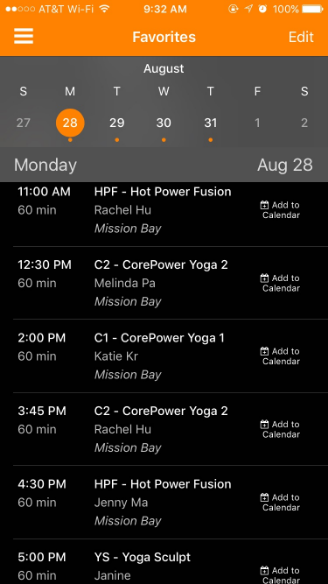
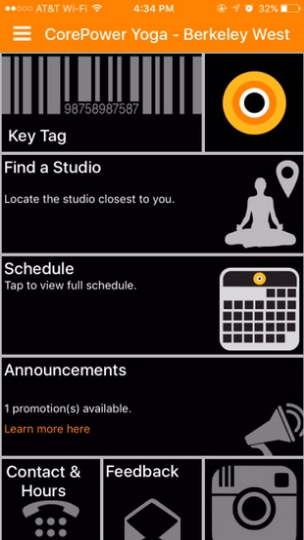
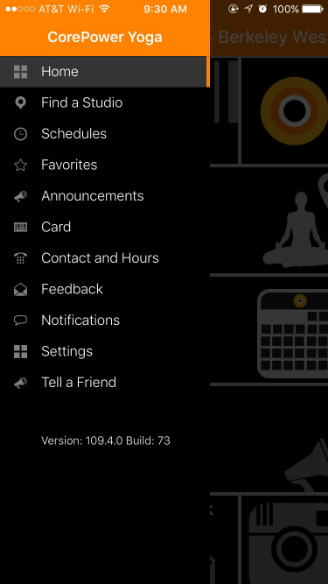
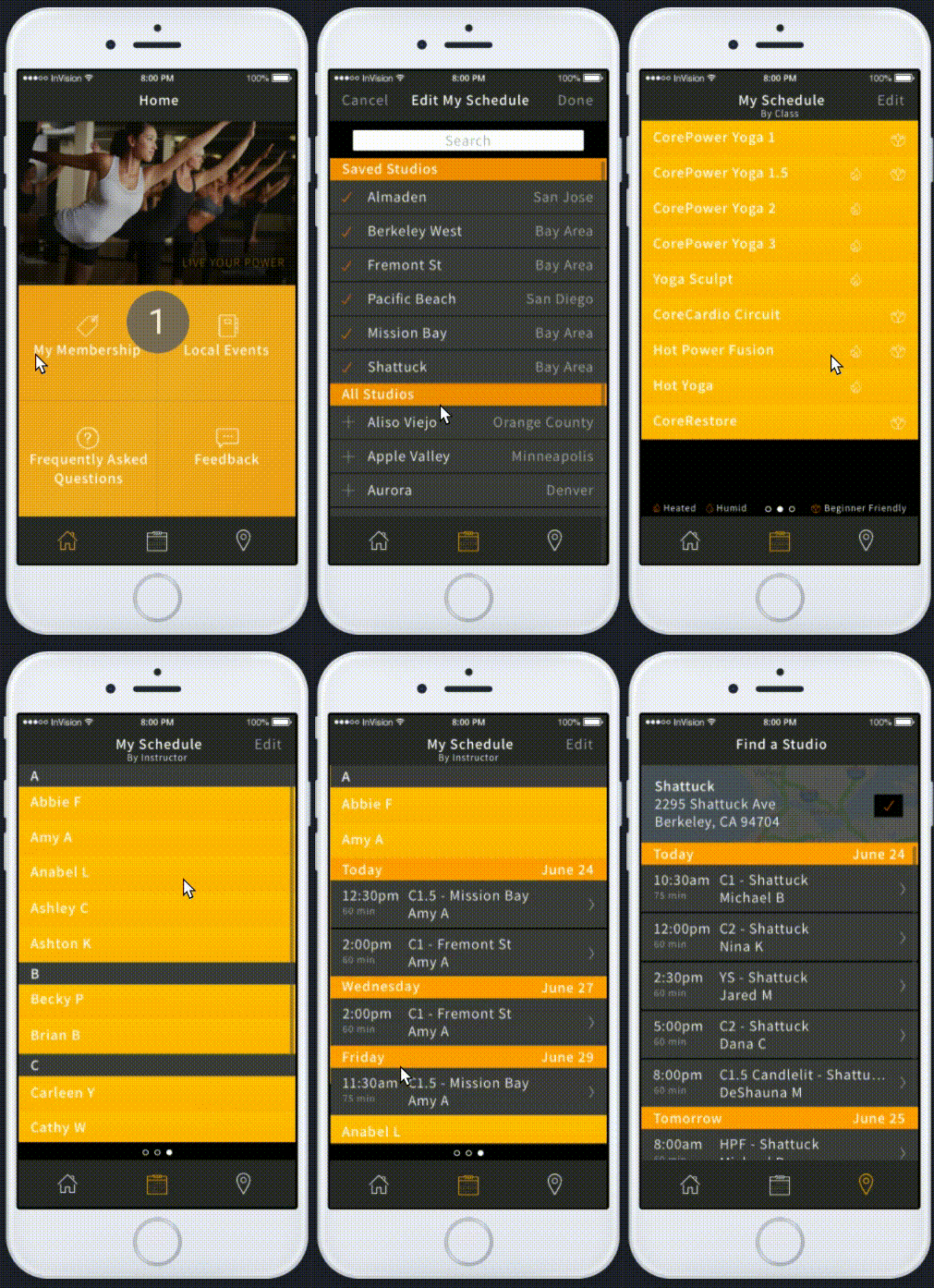
The existing CorePower Yoga mobile app does not serve their brand well. While the studio experience is fluid and refined, the app is redundant, vague, and disconnected from the overall feel of a CPY studio.

From a usability standpoint, there are a number of jarring no-nos. I set out to solve these issues by redesigning the mobile app.

View prototype

M-SHARP

Training management and readiness reporting for Marine Corps aviation operations
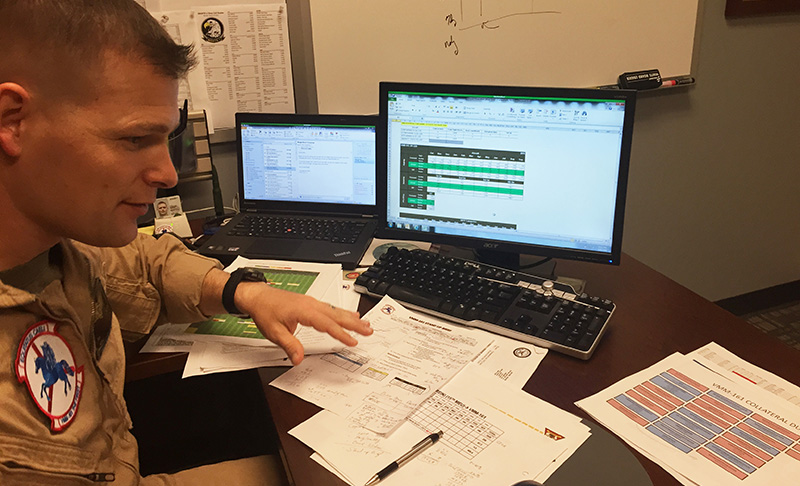
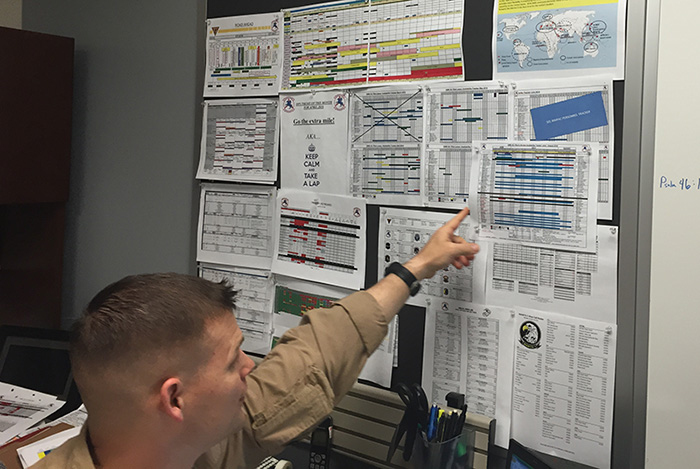
M-SHARP is a web app designed to enable 150+ Marine Corps aviation units to manage training, manage resources, and assess their overall combat readiness.

Myself and one designer pioneered UX design and research practices on this team.

This project is under a strict NDA, but I would gladly discuss it further if you are interested.

Umap
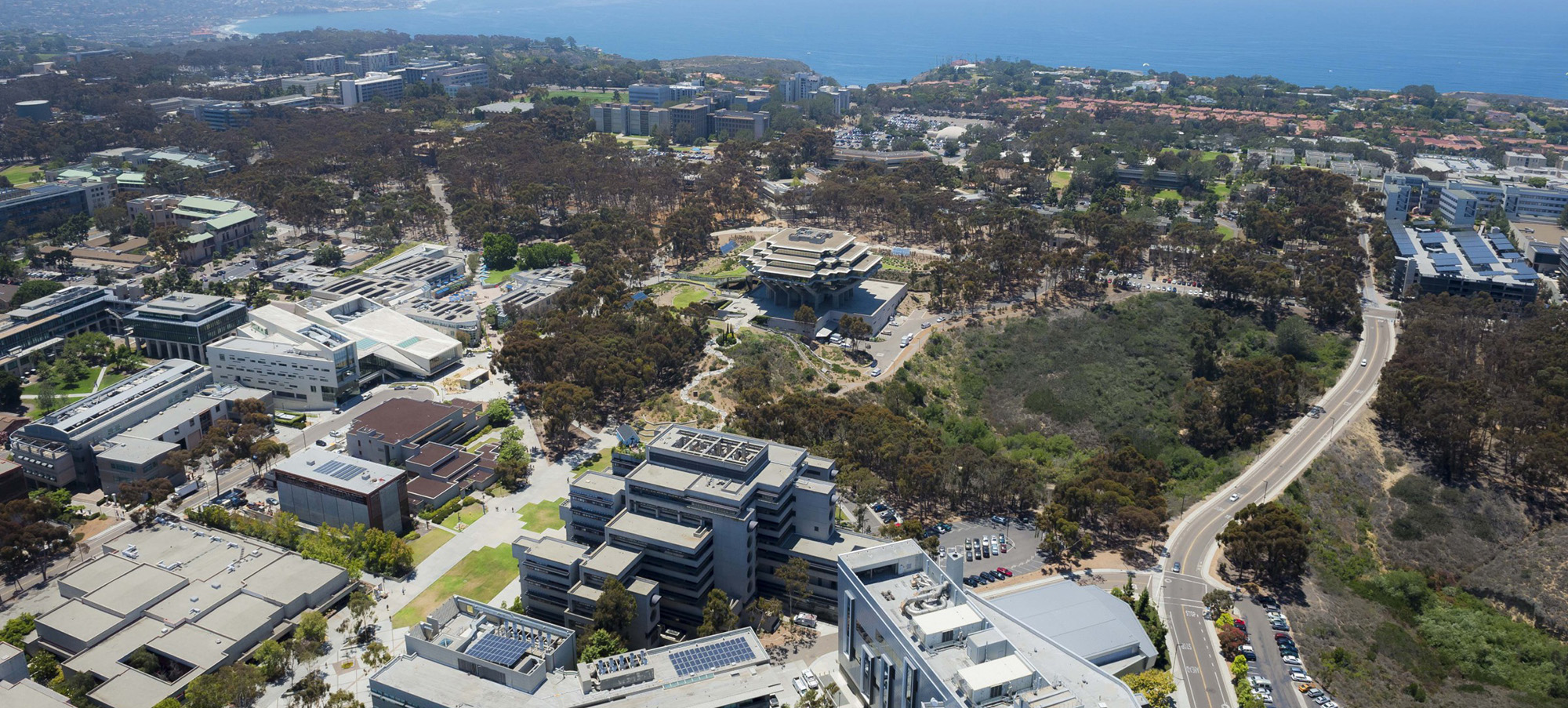
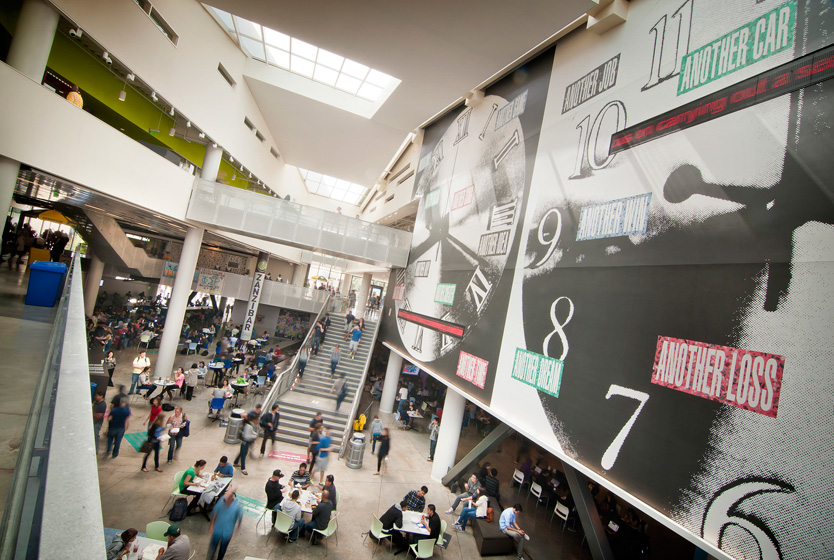
Erik Jepsen, UC San Diego Publications

A wayfinding system to facilitate navigation around UC San Diego

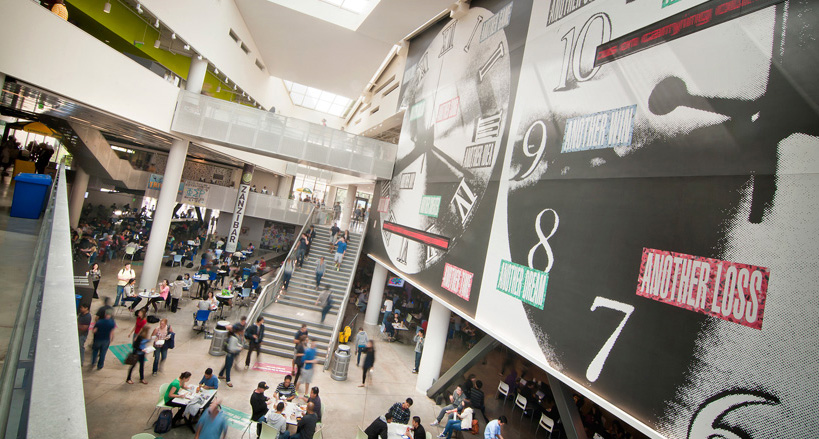
With upwards of 750 buildings sprawled across 1,100 acres, UCSD proves to be a complex space to navigate. At the same time, the campus attracts a variety of people, from well-acquainted locals to first-time visitors. Irrespective of familiarity, well-designed wayfinding resources are crucial to how all users experience the physical space.

The Ecology of Meaning
Exploring the impact of gesture in the construction of meaning

The process of developing a shared understanding between a group of individuals can be a difficult one that requires communication beyond spoken language. What can we learn about perspective and intent by leveraging gesture as a visual form of communication?

About Me

My name is Denise Chau. I'm a UX designer and researcher who dabbles in front-end development. I suppose you can call me a UX generalist with strengths in conducting research and building interactive prototypes.

I received a B.S. from UCSD in Cognitive Science with an emphasis in HCI. It was here that I began my practice as a researcher and formed the habit of putting a healthy dose of skepticism to use.

To this day, my favorite cog-neuro topic is (without a doubt) brain plasticity and it remains one of the themes that makes user research so captivating to me.

Another aspect at the core of my career is a longtime fascination with how cultural identity (i.e. the feeling of belonging to a group) is formed, projected, and received.

This interest is largely inspired by my personal journey, in which my sense of cultural identity tends to be challenged by others.

My curiosity for studying the intersection of perception and experience should come as no surprise. I enjoy celebrating individuality and challenging the oversimplified drivers of identity that society at large recognizes.

I draw inspiration from disparate sources and activities. In my me time, I enjoy practicing yoga, spending time outside, and going to cultural and art events.

Resume

If you would like to attain a copy of my resume, feel free to download it below or shoot me an email at denisetuchau@gmail.com.

Download PDF
coded and designed with care by Denise © 2017

CorePower Yoga

Project Overview: My redesign of the CorePower Yoga mobile app was a side project I took on to create a more usable, refined app.

The Business


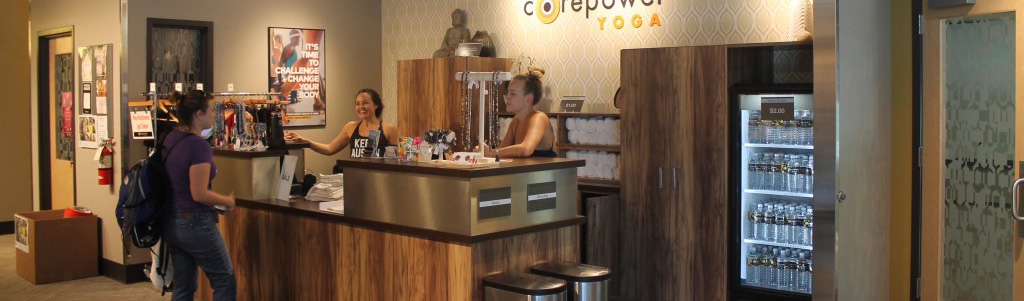
CorePower Yoga (CPY) is not your average local yoga studio. It is a large network of studios, which increases its capacity in several ways. User needs are very much influenced by these unique characteristics, so let's take a closer look at some attributes.

Place
A network of 150+ yoga studios, all accessible to members
Studios with multiple practice rooms
Practice
Various styles and levels of yoga practices offered (6-9 different classes)
A yoga practice that will translate seamlessly to other CPY studios
Teacher training programs for those who want to delve deeper
Special events & workshops
A free week of unlimited practice offered to anyone
People
Enough instructors and students to make full studio schedules worthwhile (8+ hours, 7 days a week)
Students with varied levels of experience and memberships for different levels of commitment

Legacy App


CPY has an app but its usability and aesthetic can be improved.

A Quick Diagnosis

Cluttered UI

The abundance of features clutters the interface, especially the class schedule pages.

Lack of Visual Hierarchy

Visual weight is distributed too evenly throughout the app. Important content needs to stand out, not be subdued.

UIs that Require Written Instructions

Create an intuitive interaction and it'll do the explaining for you.

Redundancy Galore

There are many ways to achieve the same thing. Giving users options sounds nice in theory, but can jeopardize usability. Less is more, especially in mobile.

Understanding Community


It's a crucial step of my process to build a deep understanding of the community before starting any design work. To help do so, I conducted a series of informal interviews at the studio. From there, I distilled CPY goers into three distinct categories.

Loyal Yogi


Characteristics
Is a black tag (unlimited) member
Regularly attends more than 1 CPY studio
Is likely to have a preference for certain instructors or types of classes
Goals
To practice yoga frequently (at least 3x/week)
To be part of a supportive community
To grow in their yoga practice, to be challenged
To arrive on their mat prepared and on time
Pain Points
Finding parking
Being stressed out about not making a class on time
When other students don't know the golden rules of the practice and studio (e.g. don't steal, don't talk in practice room, be considerate of others)

New Yogi


Characteristics
Has a free week membership
Typically attends 1-2 studios during free trial
Is more likely to ask front desk member for class recommendations and explanations
Is more likely to stick to beginner-friendly classes
Goals
To give yoga a try
To achieve wellness goals, to feel good
To arrive on their mat prepared and on time
Pain Points
Finding parking
Being stressed out about not making a class on time
Being unprepared for a challenging class

Instructor


Characteristics
Has completed training for a certification through a registered yoga school
Typically has been practicing yoga for at least 1 year, common to have been practicing for several years
Is knowledgeable on the history of yoga, the local yoga community, and different styles of practices
Is attentive to student needs and concerns
Seeks feedback from others to improve their teaching
Goals
To build community
To set students up for success
To heal, empower, encourage, and connect with students
To provide top-notch service
Pain Points
When a line forms at the front desk and class is supposed to start in minutes
When students slow the check-in process by not having scan tag, knowing associated phone number or email
Starting class late, not ending class on time
Students walking in late (can be distracting to others)

An Objective Lens


From a research standpoint, I think the richest understanding is created when using qualitative and quantitative findings to complement one another. It is because of that that I conducted a survey with studio goers. My goal was to form an objective view around studio behavior, user needs, and app usage that I could later use to help drive design decisions.

Research Questions

Which yoga goers regularly use the app?
What do users use the app for?

Method

close-ended survey, in-person, roughly same amount of participants from each class type

Survey
  1. What kind of CPY membership do you have?
    black tag (unlimited), class pack, free week
  2. How long have you been coming to CPY?
    less than a week, 1-4 weeks, 1-6 months, 7-12 months, more than a year
  3. How frequent do you attend class?
    0-10 classes/year, 0-10 class/month, 11-31 classes/month
  4. How do you usually check the class schedule?
    CPY website on a computer, CPY website on my mobile phone, CPY mobile app, other
  5. I use the mobile app to...(check all that apply)
    check the schedule, customize my schedule, add classes to my phone calendar, learn about different classes, share class details with others, stay updated with CPY news and events, check in to a class, find contact info and opening hours, submit feedback to CPY
    • If you use favorites to customize your schedule, what categories do you use?
      by studio, by instructor, by class type
  6. How many CPY locations have you been to in the last month?
    1 studio, 2-3 studios, 4+ studios

Survey Findings

Who uses the app?

71%

survey participants use mobile app to check the class schedule

91%

black tag (unlimited) members use mobile app to check the class schedule

74%

app users go to 11-31 classes/month

52%

app users have attended 2-3 studios in the last month

What do users find useful?

A small amount of app users reported using:

  • add classes to my phone calendar
  • contact information and opening hours of my nearest studio

81%

app users customize favorites by studio rather than by class type or instructor

Exploring New Solutions


A Process of Gradual Refinement

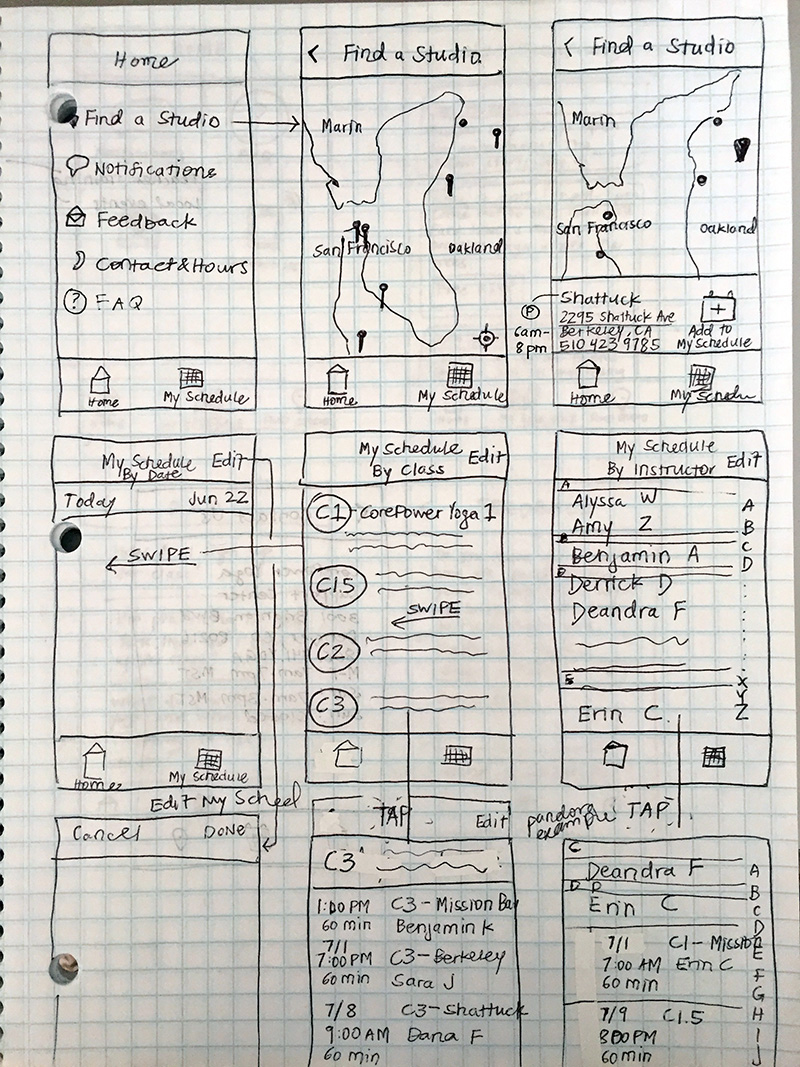
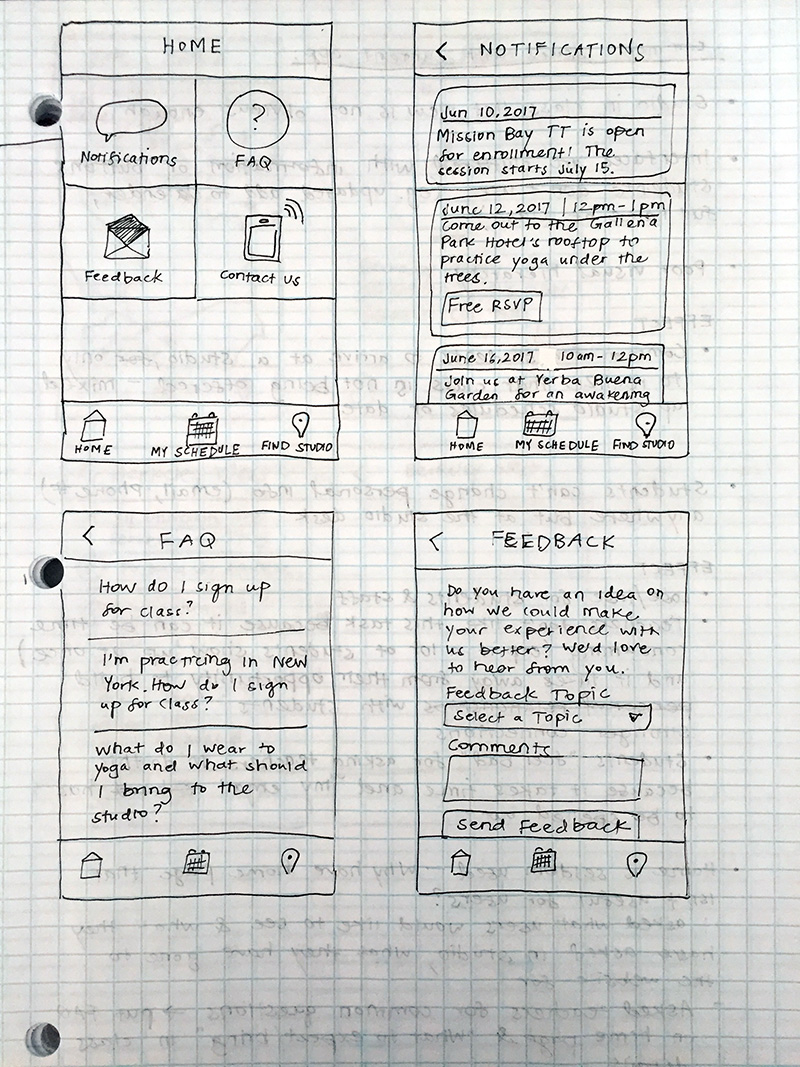
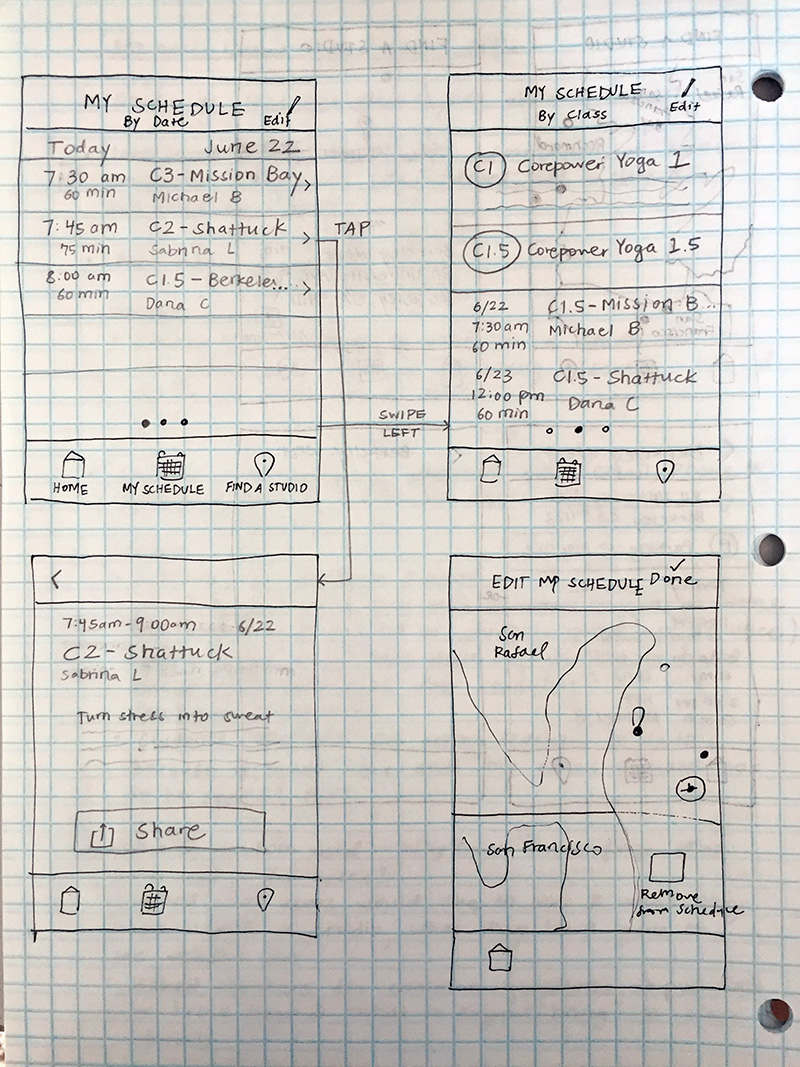
In the initial stages after research for me, it's about throwing many things at the wall and seeing what sticks. I find that I have the tendency to pixel push when I wireframe digitally, so I started by sketching potential layouts and workflows on grid paper this time. I wanted to provide myself with many options to move forward with.

Maybe next time, I'll chuck the eraser to discourage the perfectionist in me.

Prototyping


Bringing Fidelity Up a Notch

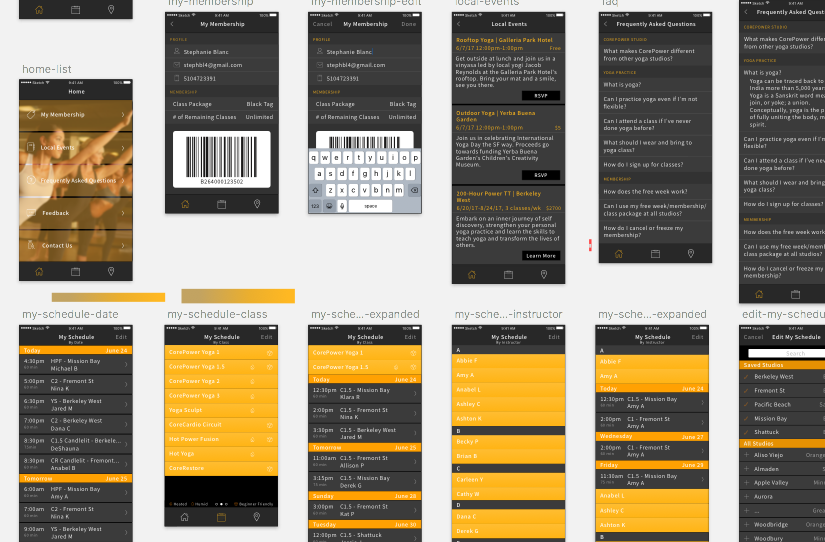
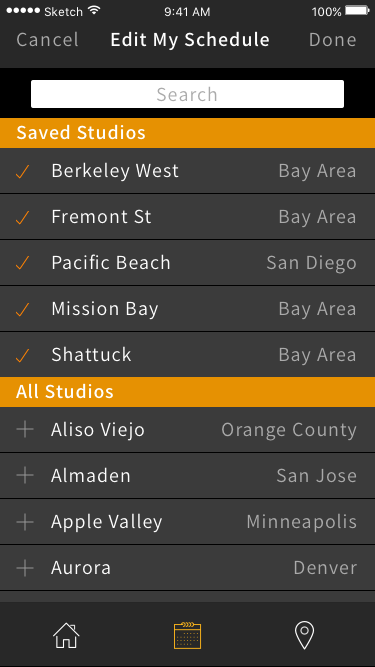
After deciding on a workflow to move on with, I began prototyping in Sketch. Now that I had an accurate sense for how things would look on a mobile screen, I started refining layout, use of color, imagery, and typography.

Adding Interactivity

I then pulled the Sketch interfaces into Invision with the intent of creating an interactive prototype I could run a usability test on. Explore the full prototype here.

Usability Testing


Research Questions

How well or poorly does the redesign work?
Will users navigate through the app easily?

Method

usability test, in-person, 2 black tag (unlimited) participants, 5 tasks and an informal post-task Q&A

A Few Findings

"My Schedule" vs "Favorites"

I decided to change the phrasing around "Favorites" to "My Schedule." The concept and use case remained the same. I was still providing users with the ability to compile one class schedule view from multiple studios. I just fancied the idea behind a schedule that was uniquely for that user, whereas "favorites" felt like a dated term reserved only for use in interfaces.

Although this change in phrasing seemed to briefly confuse one participant, I decided to keep it as is for two reasons: 1) the user quickly caught on and 2) I was not shifting the model (favorite/unfavorite, save/unsave). Had I been shifting the model then I would have been introducing a larger learning curve, in which case I'd be more concerned with benchmarking metrics pre- and post-adjustment to compare.

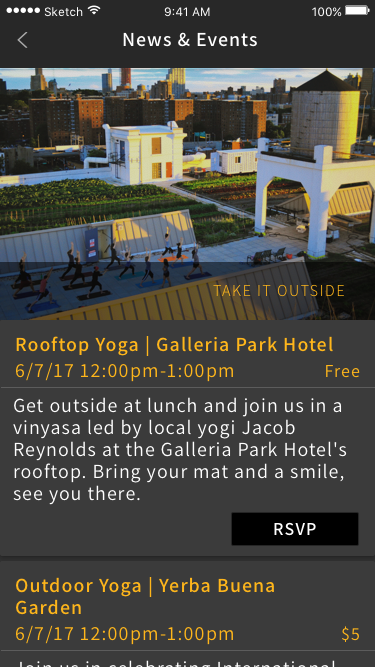
"Local Events" vs "News and Events"

One of the links in the home page is dedicated to studio publications and announcements, typically special events and workshops. After discussing this label with a user further, we decided the more concise label was "news and events."

"'Local events' doesn't make me think of new things going on at the studio."

Loyal yogi/usability participant

Closing Thoughts


On Post-Task Q&A

This project helped reaffirm how useful post-usability conversation can be. While this is an excellent time to clarify anything from the usability test itself, it's a great chance to build a rapport by asking open-ended questions to prompt informal, yet constructive conversation.

As a researcher, conducting research and collecting actionable data is the obvious part of the job. The implicit part of the job is about building relationships with users, as you are oftentimes one of the few people that actually represent the team.

M-SHARP

Project Overview: M-SHARP is a web app designed to enable 150+ Marine Corps aviation units to manage training, manage resources (e.g. personnel, aircraft), and to assess their overall combat readiness.

My Role: Myself and one other designer pioneered UX design and research efforts on the team. I spent most of my time collaborating with subject matter experts and business analysts to dive into the workings of aviation operations, creating various deliverables to drive product discussions, developing interactive prototypes, and conducting usability studies with our diverse user base.

Our Process


Understand

  • Contextual inquiries with users
  • Lots of conversation with SME, BA, and customer support
  • Review any and all Marine Corps documentation

When the team had a general direction on what feature was to be built next, we'd cultivate our understanding of business needs, user needs, and the context of use through various resources.

Define

  • Scenarios
  • Use cases

Technical stakeholders (development, solutions architect, and design) would collaborate and create a package of deliverables to present back to business stakeholders. This presentation was intended to ensure that we had a shared vision moving forward.

Ideate

  • Wireframes
  • Sketches
  • Whiteboard drawings

The mighty design duo would then create a number of low-fi solutions to consider moving forward with.

Prototype

  • HTML
  • LESS/CSS
  • JQuery

The conditional nature of content in the system was complex, closely tied to real-world context, and had quite a learning curve. Therefore, the best way for us to communicate design was for us to develop prototypes with deliverable HTML and CSS, and slightly less deliverable JQuery that was incorporated to express conditional content and interaction design to the implementation team.

Test, Analyze, Report

  • Usability tests
  • A/B tests
  • Summarized findings
  • Highlight reels

After the prototyping phase, we typically ran in-person usability tests with users at a local airbase. Afterwards, we'd document and summarize our findings in a spreadsheet, create highlight reels to communicate major findings, and present to business and technical stakeholders.

Refine

  • Redesign or tweak prototypes

Collaborate

Having succinct conversations about context, user and business needs with the implementation team was key to the success of our collaborate efforts. It was not uncommon for us to collaborate extensively with quality assurance, development, and POs in this phase.

Closing Thoughts


A Reflection

Building a UX team and weaving UX practices into an existing process is no walk in the park. This undertaking requires a team to embrace experimentation and collaboration. The willingness to consider new ideas can put many stakeholders in a vulnerable space, but the growth and achievements along the way empower the entire team.

I'm thankful for being involved in a wonderfully challenging project, and I'm especially grateful to those who supported UX every step of the way.

Umap

Project Overview: Umap was a team project for a cognitive design studio class that initially yielded an interactive UI concept. I later created my own solution, a static signage system.

My Role: I conducted research, tested a paper prototype with a user, and played project manager in the second half of the project.

The Challenge


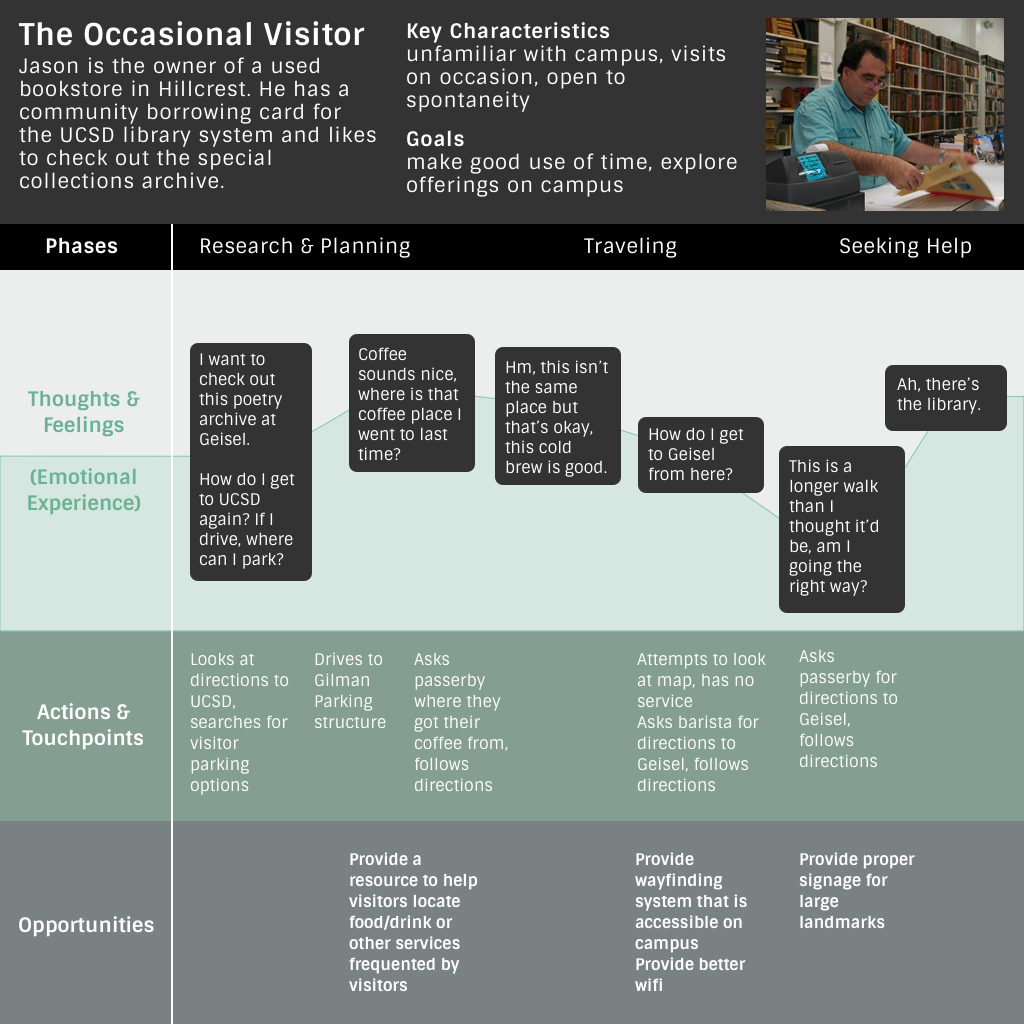
UC San Diego's main campus is a tough space to navigate. On average, we found that 9/10 individuals on campus have been lost at some point and 7/10 have been late to an obligation because they were lost.

As a whole, the campus is vast, dense, and the overall structure is rather arbitrary. When you look closer at the parts, you'll find dozens of unnamed footpaths, lots of plaza-styled space, and curvy roadways/sidewalks.

To alleviate navigational issues caused by these characteristics, we focus on wayfinding, information systems designed to guide people through a physical environment and enhance their understanding of a space.

Erik Jepsen, UC San Diego Publications

What's the big deal with wayfinding?

Effective wayfinding systems enhance the way people experience space by making them feel empowered and secure in unfamiliar, high stress environments.

The Discovery


Research Round One

Objectives

How is each distinct wayfinding resource used and when? (e.g. digital maps, physical maps, signage, and verbal instruction used)

When do users prefer which medium and why?

How have past experiences navigating on campus influenced current attitudes and behavior?

Methods

contextual inquiry with participants as they tried navigating to unfamiliar destinations from Library Walk

post-task interview about previous use cases or related experiences

Findings
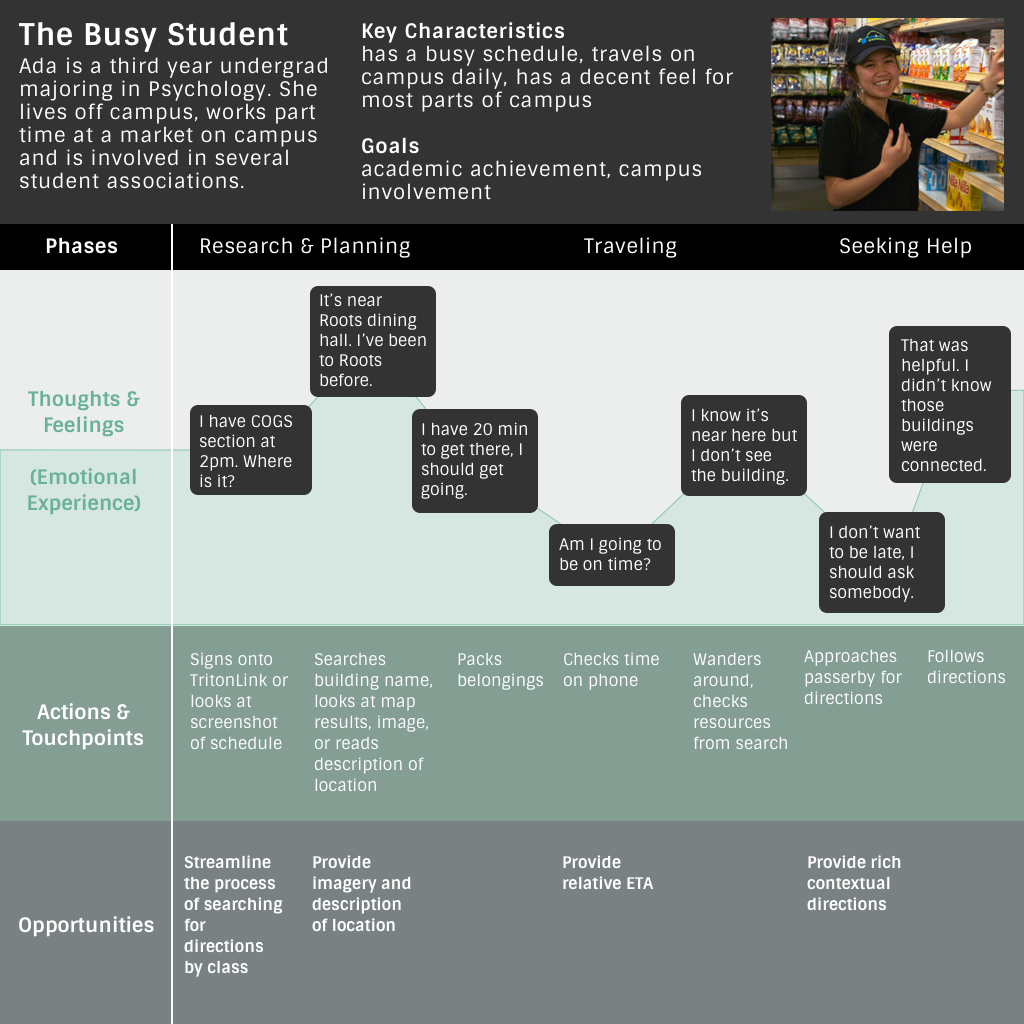
  • users prefer to search on a mobile device to see their destination on a map or to read a description of the location before beginning their trip
  • printed and stationary maps are supplementary at best, but rarely preferred because they lack sufficient details
  • if users became confused en route and knew they were in the viscinity of their destination, most then asked a passerby for directions
  • on average, a user would check their mobile device en route no more than three times before asking a passerby for directions
  • wifi and cell service are spotty, especially in buildings and basements
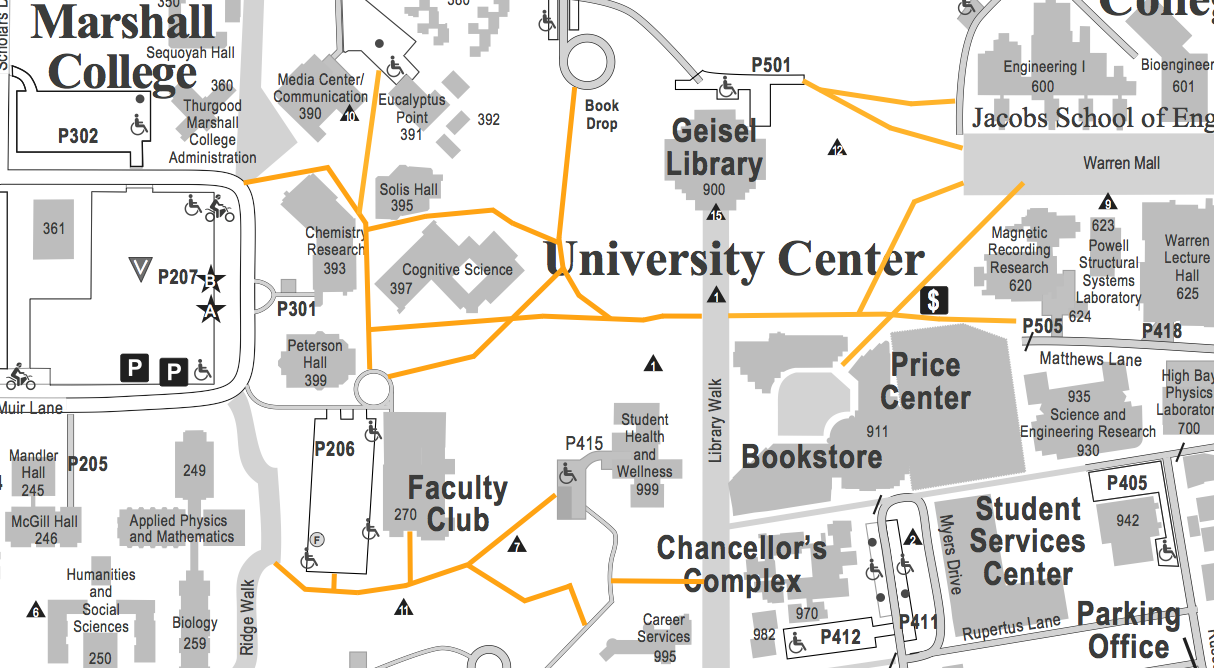
This map is posted throughout campus and is distributed at well-attended events and offices, yet several major walkways (orange) are omitted
Analysis

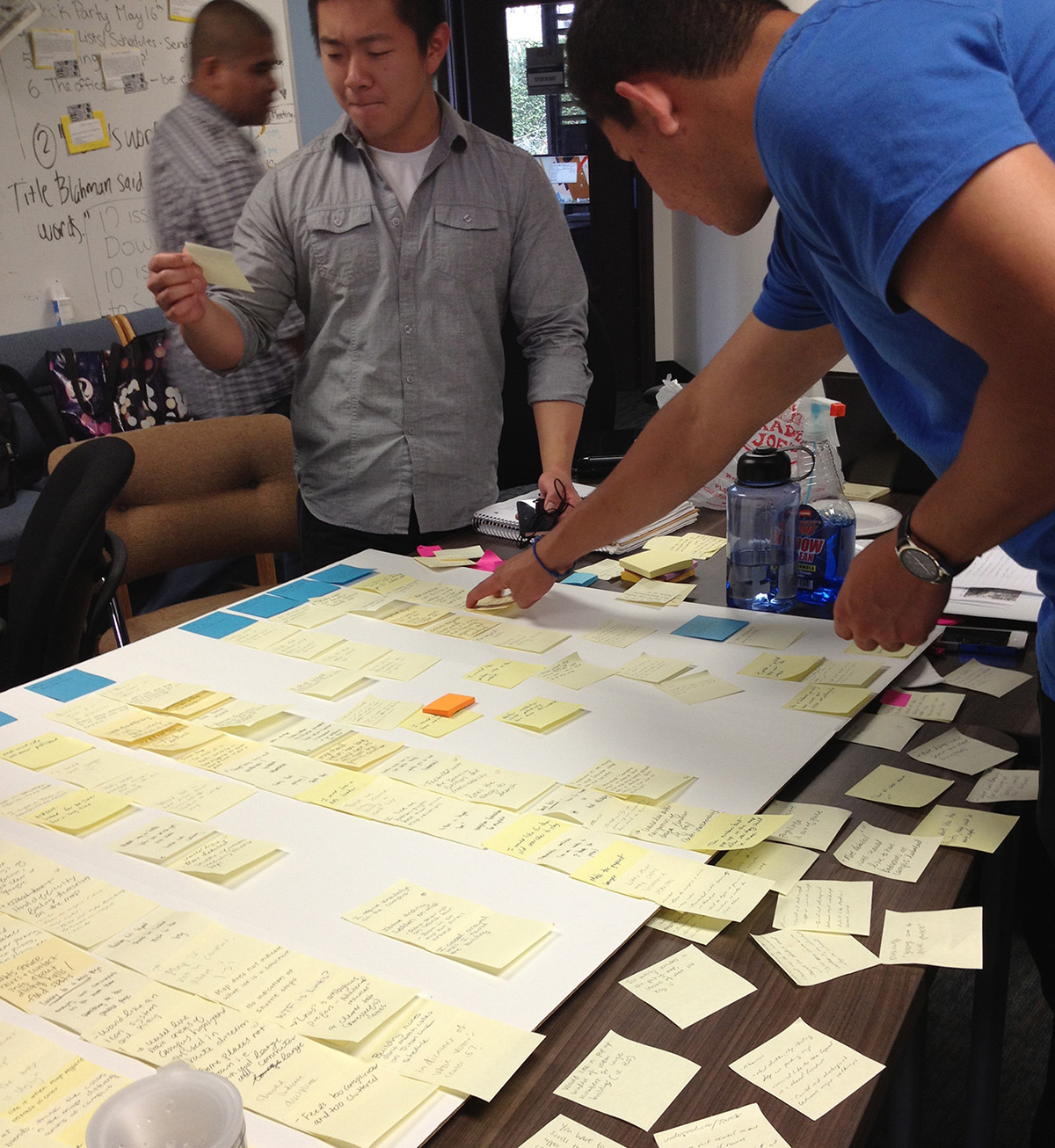
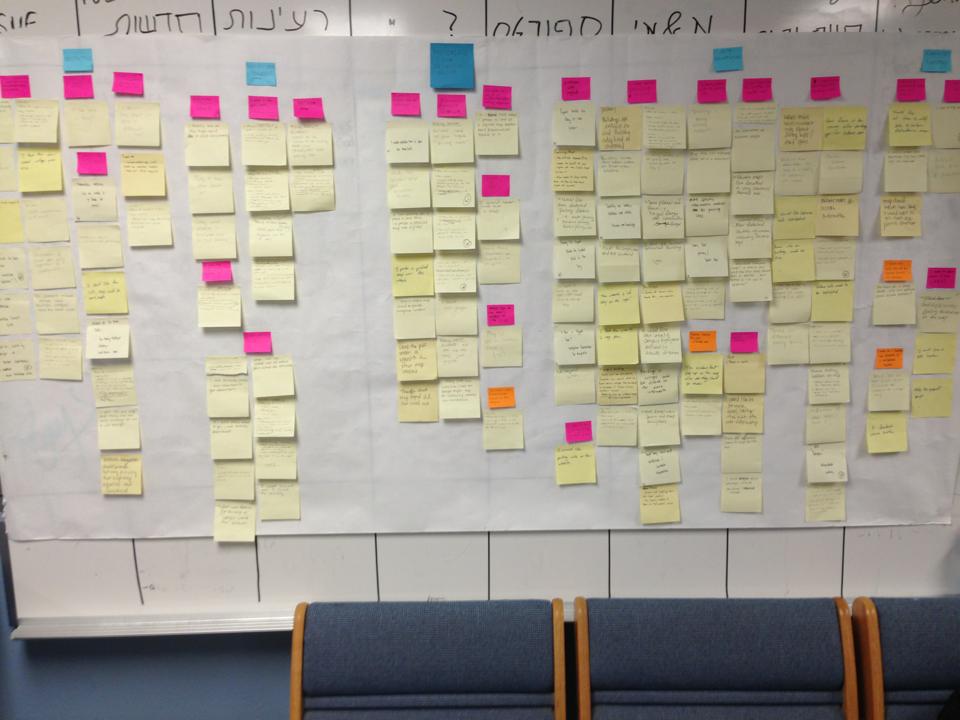
In our analysis of round one, it seemed clear that the preferred method was a combination of seeing a map and asking somebody for directions. We noticed a pattern in the way directions were explained in relation to nearby landmarks, leading us to conduct one more study.

"Someone can tell you things that a map can't show"

Research Round Two

Objectives

What are the most effective ways to explain how to get somewhere?

The western half of campus is on a cardinal grid. Are cardinal points used in explanation?
Methods

asked participants to give directions to 14 locations from Library Walk and recorded their answers; these locations were distributed as evenly as possible (2 in each college, 2 in University Center)

Findings
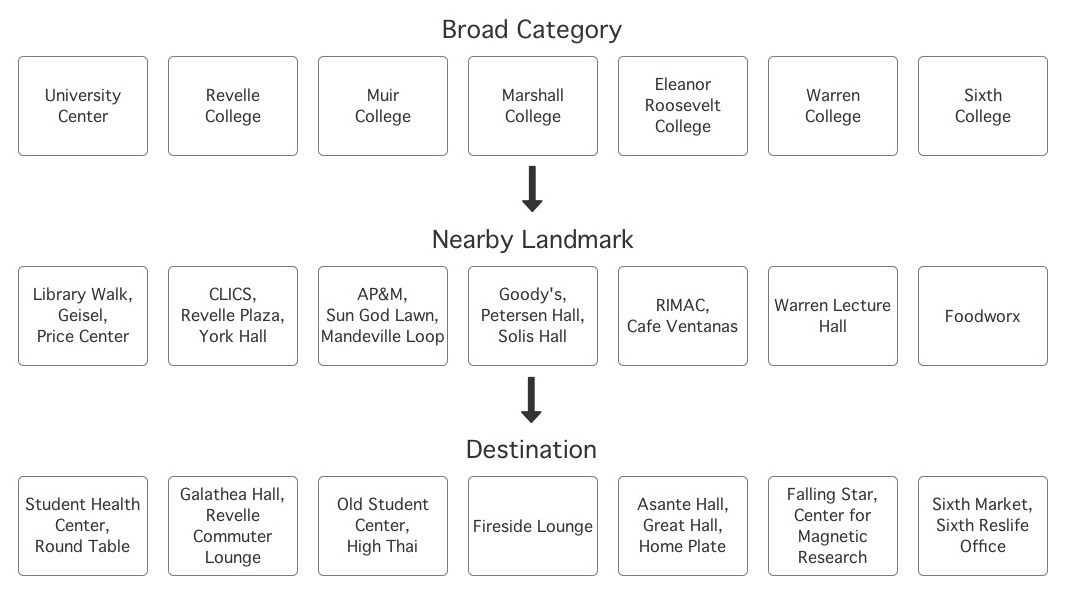
  • directions often included the college name (UCSD is divided into six distinct colleges) and one or more nearby landmarks
  • size, distance, placement, academic discipline, and unique things were often mentioned when describing the destination or the journey
  • it was common for participants to explain the outward appearance of a landmark or destination
  • although half the campus is on a cardinal grid, cardinal points were hardly used
Frequently referenced landmarks during data collection round two (middle row)

Understanding User Journeys

Examining Wayfinding Interactions

Most participants asked a passerby for directions if other resources didn't guide them to their destination. What might a wayfinding interaction with a passerby offer that other methods lack?
Pros

  • conversation is a highly efficient interaction
  • gives direction-seekers a chance to ask questions, and responses to those questions can make them feel comfortable and informed
  • helps direction-seekers develop an understanding of the rich contextual cues to look for (e.g. distance, placement, size, landmarks, events, departments, landscape, color, etc.)

Cons

  • requires participation of another person who may not be in the mood or may not be knowledgeable

The Refinement


We decided to focus our solution around these user needs and insights:

  • users need a wayfinding resource on campus that does not depend on wifi/cellular data
  • the most effective directions are anchored in relation to nearby landmarks
  • users benefit from contextual cues, such as distance, placement, and size

The Vision


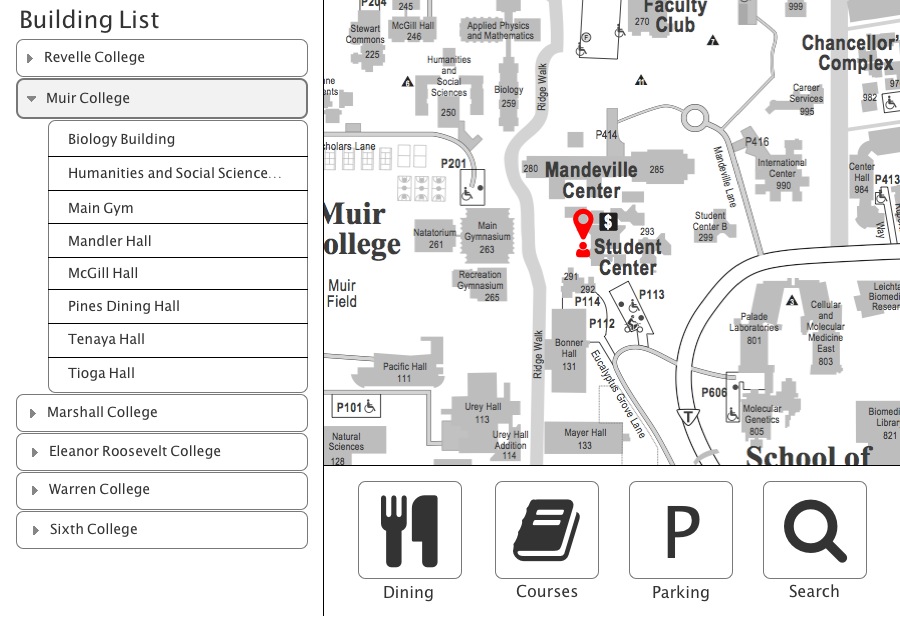
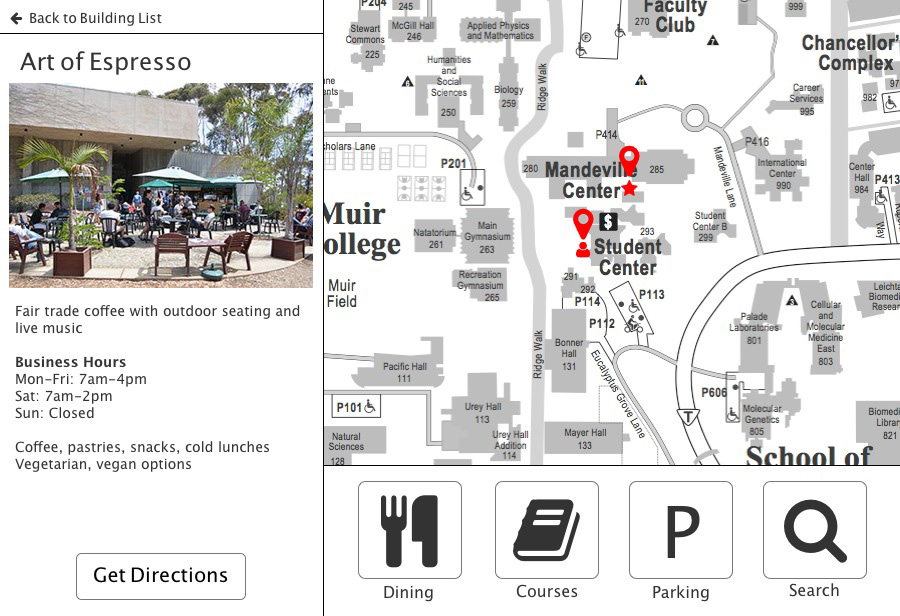
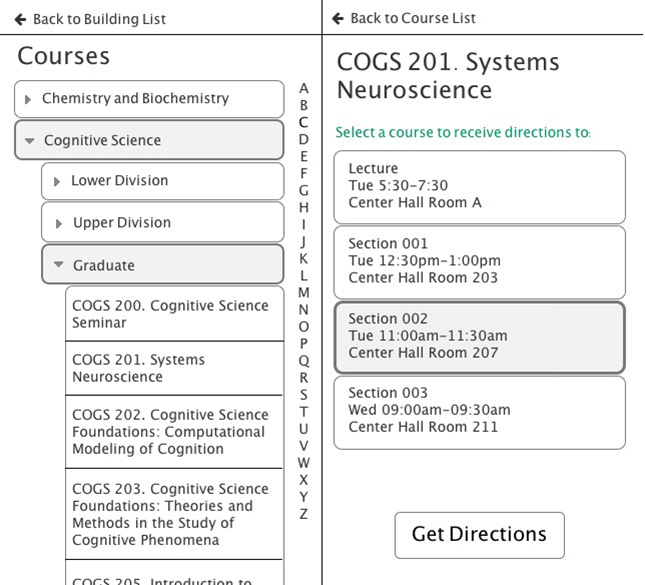
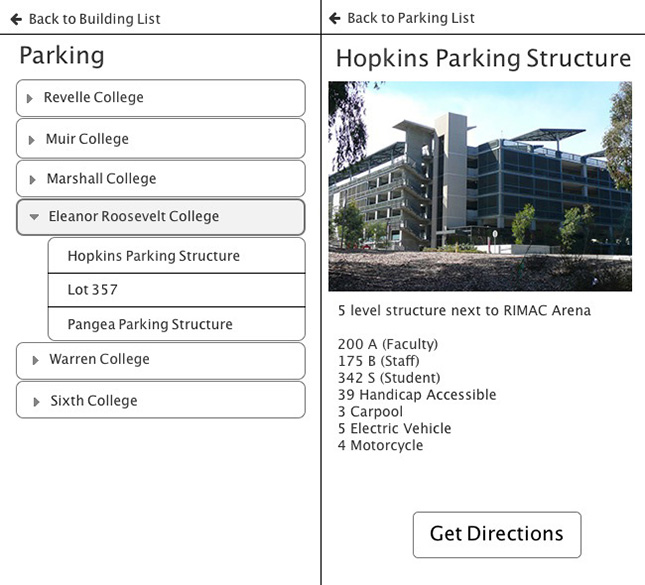
Provide touch surface kiosks near major landmarks and walkways throughout campus to assist in the overall planning and execution of travels by foot.

Wireframes

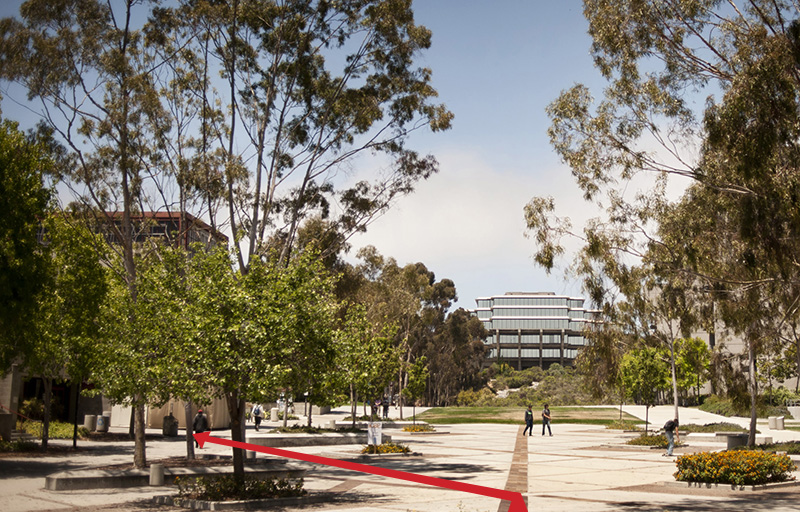
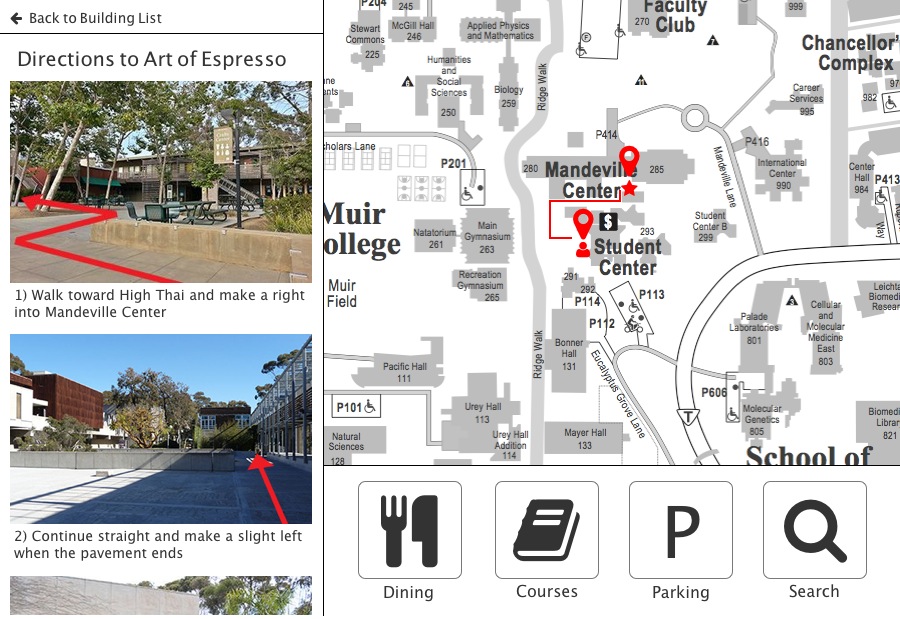
Each set of directions would be given alongside annotated imagery to help illustrate what the actual journey looks like. It's an effective way to give directions in a space that has highly unique structures, unnamed walkways, and open spaces. Some examples:

walk toward Geisel and turn left into the alley adjacent to Fairbanks coffee

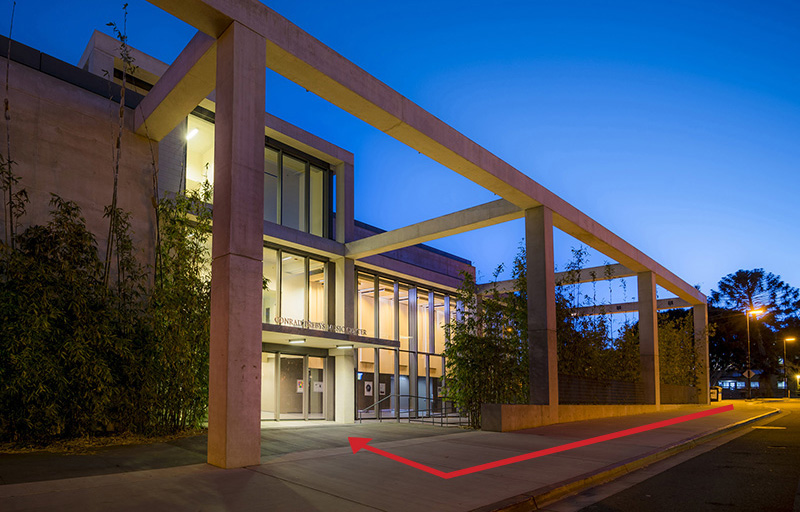
continue straight then turn right into Conrad Prebys main entrance

Photos by Erik Jepsen, UC San Diego Publications

An Assessment


Reflection

After re-evaluating the solution that the group came to at the close of the project, I had a few thoughts and critiques which led to my own redesign.

Throughout our research phase, the moment that stuck out to me was the point at which users would grow tired of their digital resources and would seek verbal directions out of preference. Most of the value for users came through descriptive context and what proved particularly useful was anchoring the destination against smaller landmarks in its viscinity.

Redesign

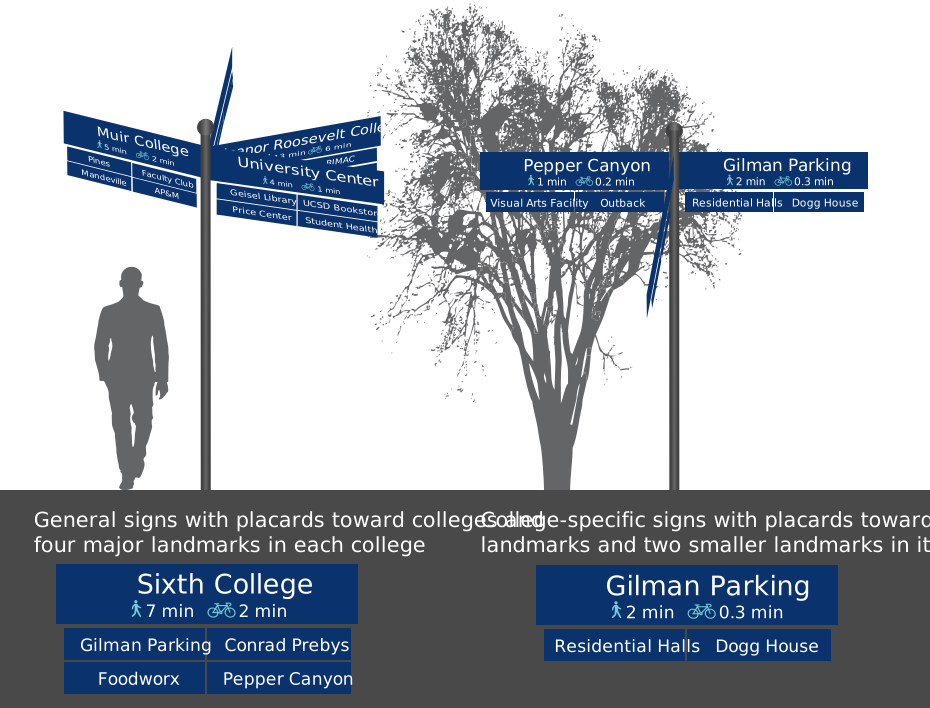
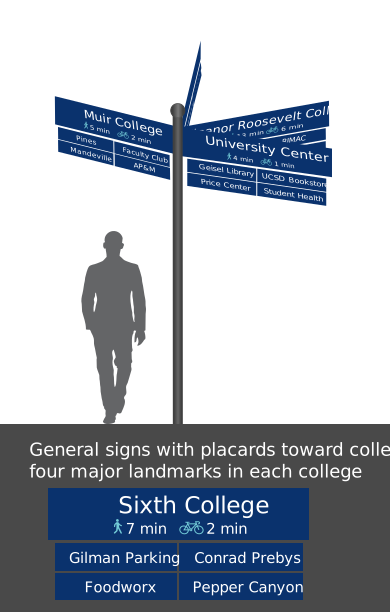
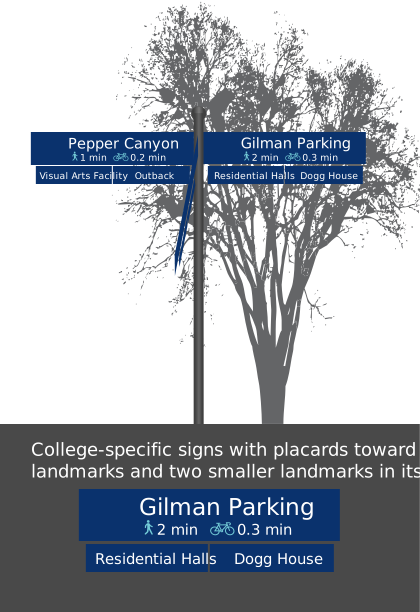
A static wayfinding system that draws from the model that is naturally used to navigate campus (college > major landmark(s) > nearby destination). The signage offers context in a way that's similar to how verbal directions tend to be given, only it's more accessible and definitive.

Closing Thoughts


On Experimental Design

Define very specific everything — hypotheses, methods, and measures — to collect comparable and actionable data.

It's imperative that research experiments are executed consistently to promote measurability. In part, this circles back to my "specific everything" point but also to delegating tasks responsibly and leaving research up to a small number of teammates. Each researcher has a subtly different style in speaking, gesturing, and overall interaction. With fewer researchers, there's less variability in how methods are carried out, especially when the method itself is open-ended, as is with contextual inquiry and ethnographic observation.

On Collaboration

The team became more effective once we broke out into smaller groups working toward specific deliverables and goals. I noticed that the level of engagement had risen, along with accountability and overall morale. My takeaway is that it's crucial to keep the goals focused and achievable so everyone feels one step closer to an end product after each small victory.

The Ecology of Meaning

An Abstract


Trying to express an intricate concept to others with spoken language alone can be challenging, so we rely on gestures to aid in communication efforts. A person speaking naturally moves their body in parallel with language, providing those who are listening (and watching) with rich information that contributes to the development of both meaning and shared understanding.

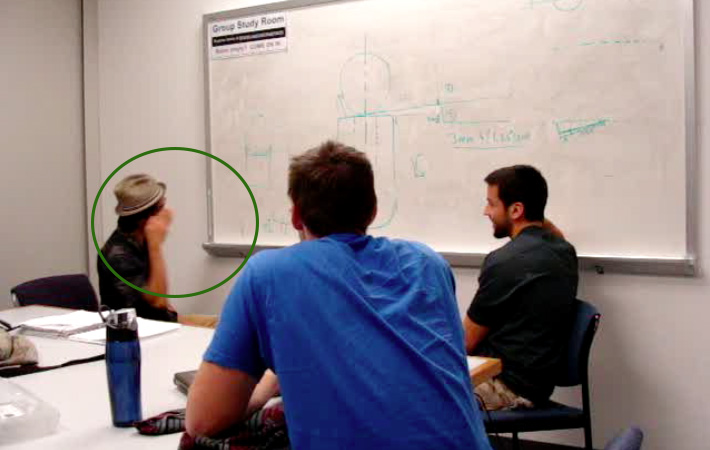
I invite you to take a closer look at some of the patterns of gesture that I noticed in my observation of an interaction between three students working on a project. I'll end with some thoughts on potential benefits to researchers and designers alike from examining gesture.

The Discovery


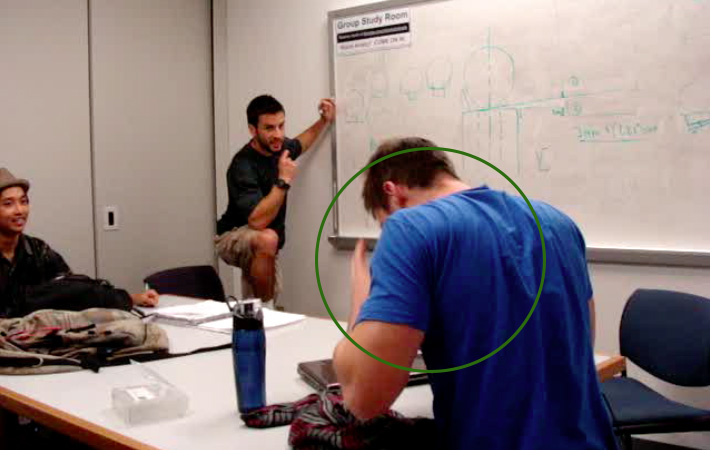
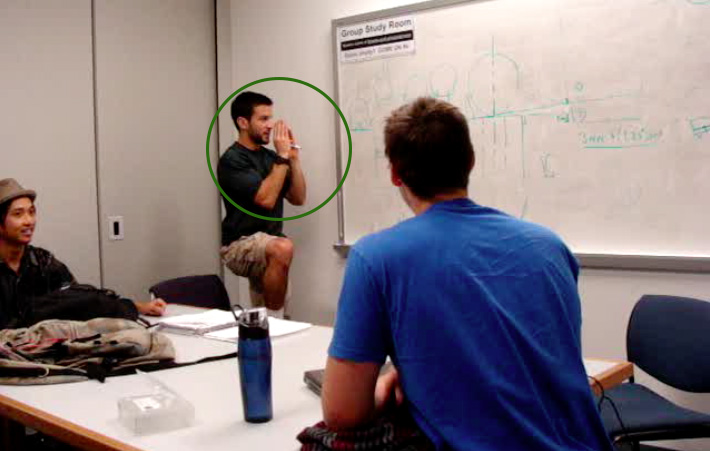
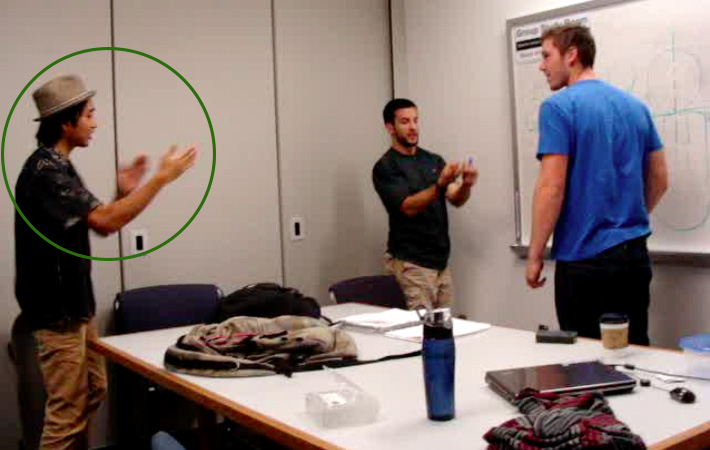
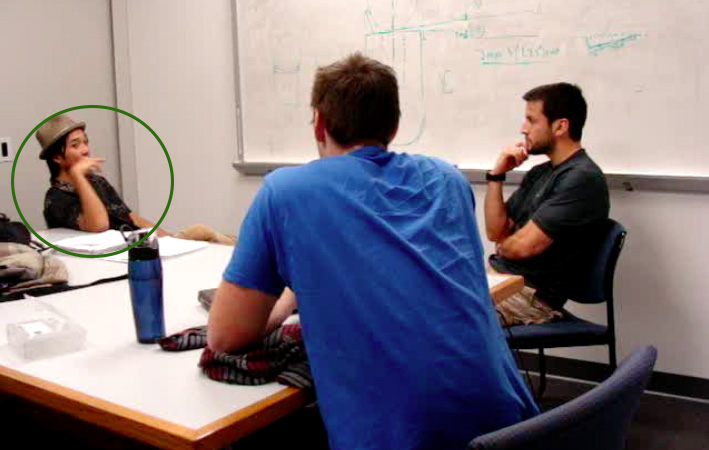
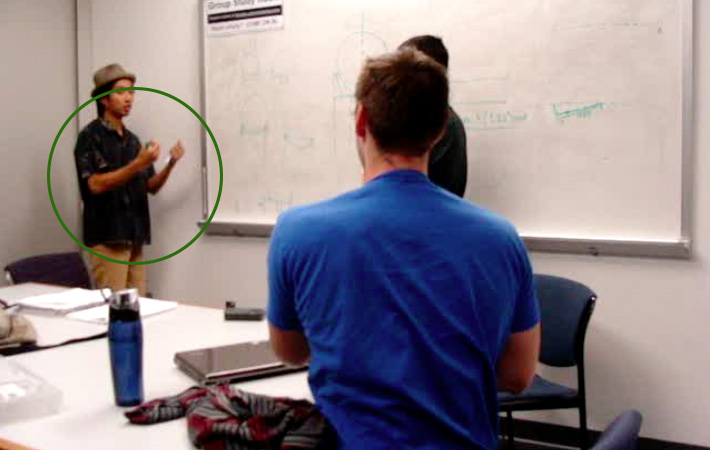
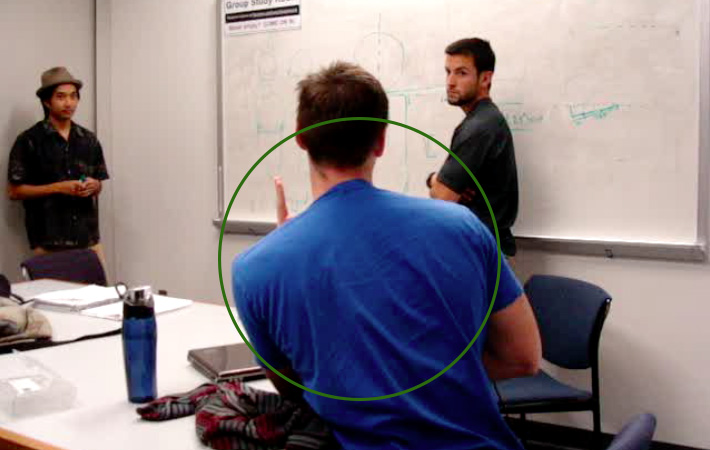
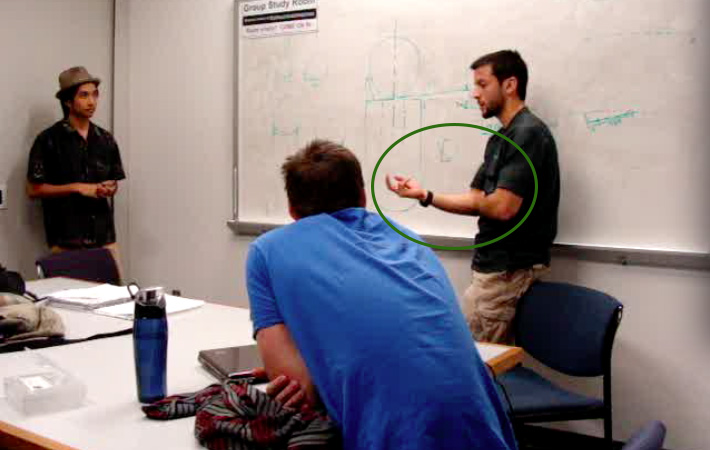
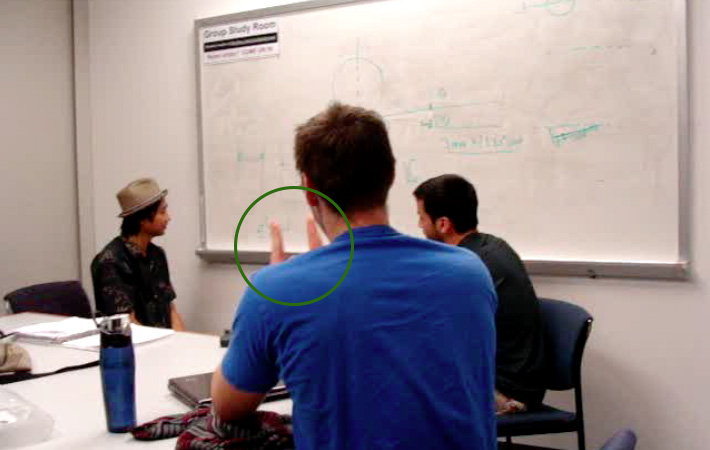
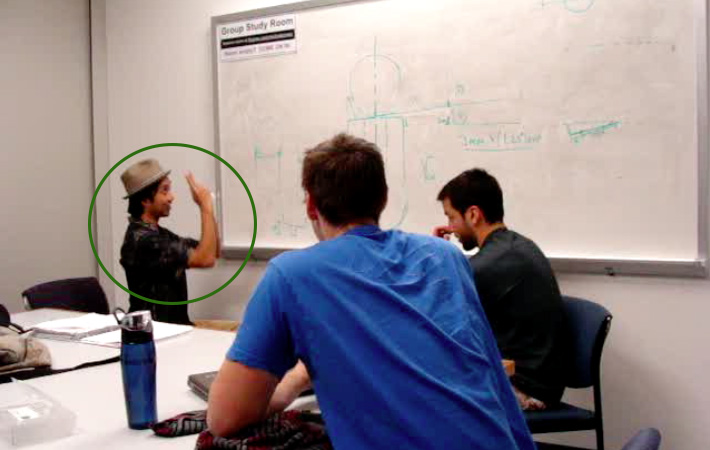
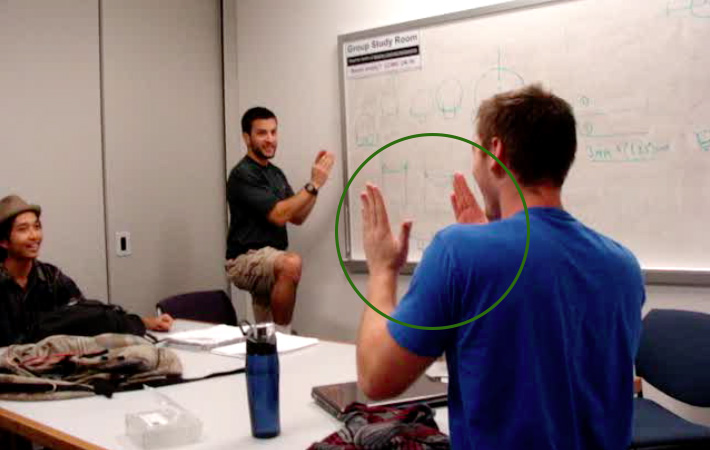
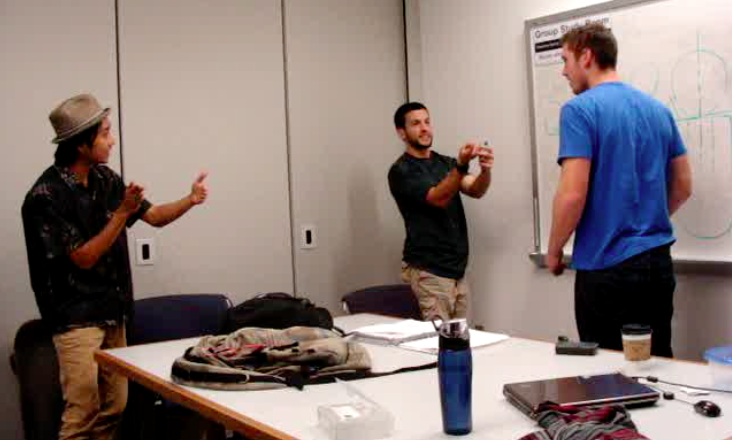
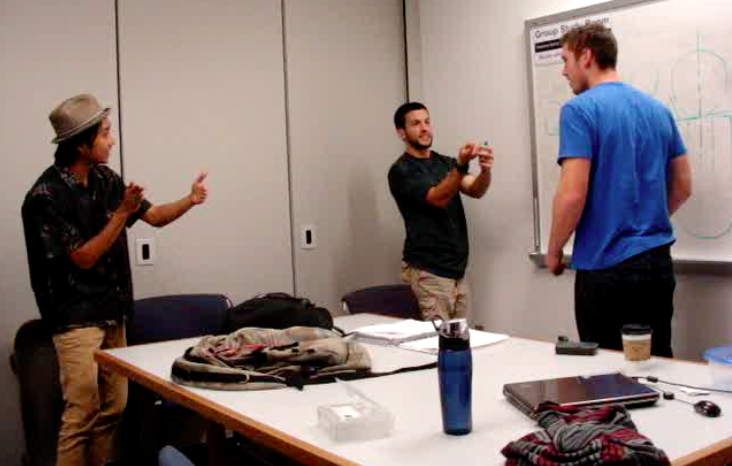
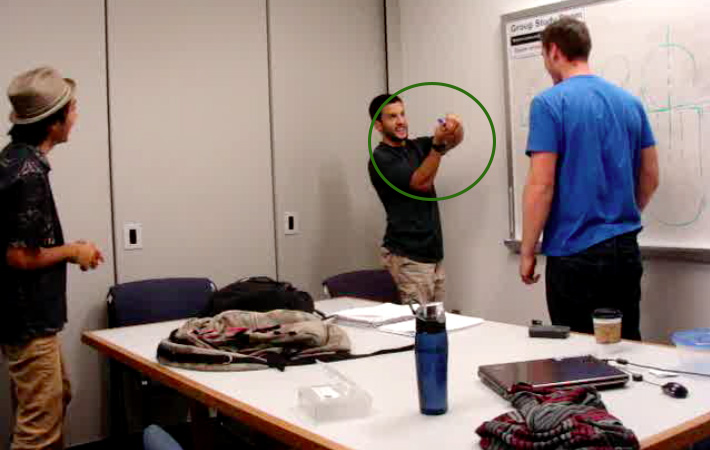
The subjects of my research are students designing a robot to transfer cylinders from one platform to another and sort them. Each cylinder would have a ball placed on it to mimic a fragile object. At this point, the students had already built a functioning robot, but needed to optimize the claw for better grasp. After analyzing video footage from their meeting, I noticed three distinct purposes for gesture in this context, described below.

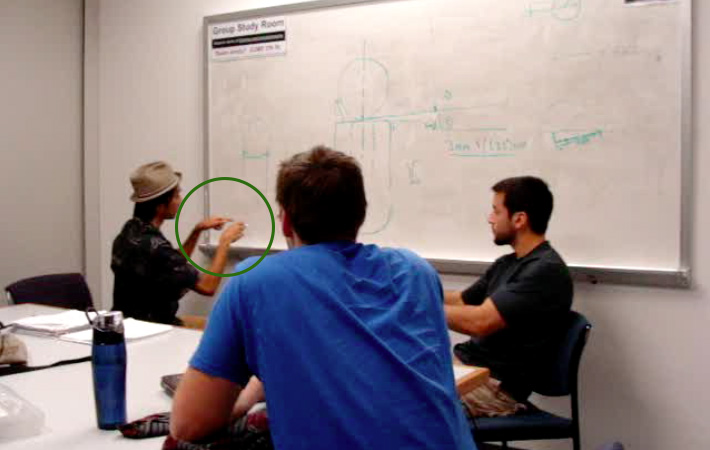
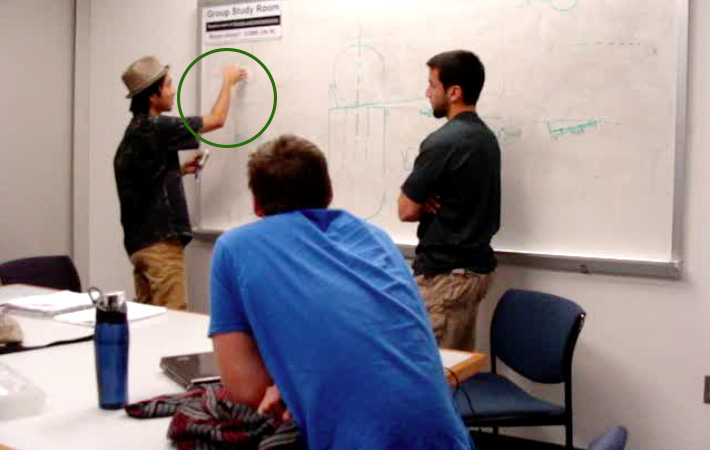
Gesture to clarify the intended perspective

(draws circle on whiteboard) "if you exaggerate it, we're looking straight into it" (points index fingers at drawing)

"we're looking straight into the ball" (moves hand toward whiteboard at eye level)

"So we're looking at it down now?" (gazes down and moves hands downward)

"if the ball were in here, you're looking at it like that" (wraps hands together and extends toward listener)

Gesture to communicate movement

"I'm talking about the in and out movement...the retraction" (hand moves forward and back)

"when you're retracting" (arms pull back while speaker simultaneously steps back)

"We're trying to clear the claws when we're moving back right?" (arm moves back and forward)

Gesture to identify a component

"Is that little point...is that the tube that it's sitting on?" (hands become parallel)

"this is your prongs" (points index fingers up)

The Insight


Spoken language and gesture mutually elaborate one another to form a rich channel of communication. In many instances observed, neither speech nor gesture alone would have been as effective in constructing shared understanding. Examining these two modalities of communication gives us an idea of what aspects of concept are found useful when visualized and how information is modeled with the body.

Closing Thoughts


Space + Time + Gesure = Meaning

It's important to note that gesture is largely context dependent. For example, gestures that may be appropriate in a building evacuation may not be appropriate in an office meeting even though the two might occur in the exact same place. Gestures in a given context shift in accordance with intent. As an observer, be mindful of that (often tacit) relationship.

On Documenting Research

Making sense of a user's intentions requires a heightened sensitivity to language and the ways in which nuanced communicative choices shape the perception and definition of situations. Therefore, I'd offer that user researchers should capture video during research sessions whenever possible. Video helps expose embodied models that users express, yet wouldn't think to articulate. Even if the research goal in sight doesn't seem to require that level of data, I wouldn't dismiss the opportunity to capture rich data if it presents itself. At the very least, you'll have potentially valuable data readily available for review at a later time.

A research meditation: Nothing never happens.